The tools

The apps we built and still use

All four are in daily use and all four are opened through one GDC account. What follows is what they actually do.

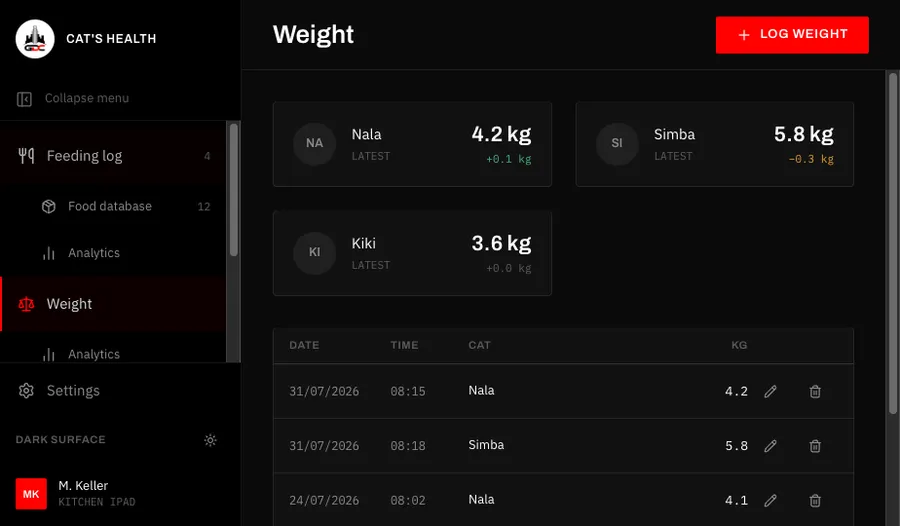
Cat's Health — weight history
Web app · iPad, phone and computer

Feeding, weight, vomiting, documents, medication and vaccinations for the cats of a household, shared by everyone who looks after them. Scan the can you are opening and the meal is logged; when a dose is due, every screen on every device in the household says so.

Every cat has a profile with its microchip and TASSO numbers, and every weighing, incident, vet document, drug plan and vaccination belongs to a cat. A barcode or a photo of the label identifies the food, portions and grams are worked out from the food database, and ratings show over time which foods and meal times work best. Drug plans produce the day’s doses, a banner that can’t be dismissed stays on screen until someone marks the dose as given, and vaccinations show when each one is due again.

  • Feeding log with can scanning
  • Drug plans with due-dose reminders
  • Weight, vomiting and vaccination tracking

Web · Household meal planning

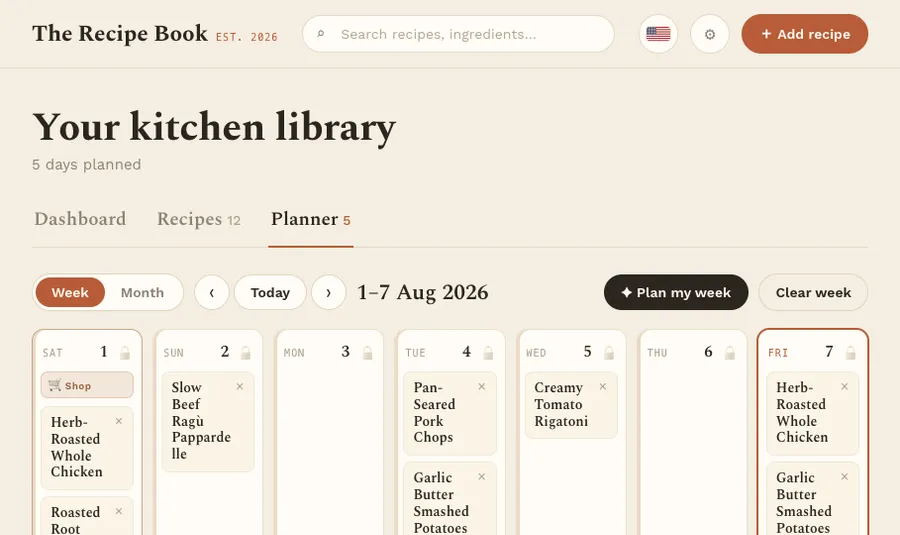
A shared recipe book for one household: recipes come in from websites, public Instagram posts, photos and PDFs, are read by AI and checked by you before saving. Dinners are planned around your shopping day, and one shopping list covers the whole shopping cycle.

Everyone in a household works from the same recipe book, meal plan and shopping list. A recipe starts in testing, is cooked and judged, and only then joins the rotation that the planning assistant picks dinners from, while taking season, quick weekday dishes and kitchen appliances into account. The shopping list builds itself from the plan, merges amounts and sorts lines by supermarket aisle.

  • Import from link, photo or PDF
  • Planning assistant for each shopping cycle
  • Shopping list sorted by aisle
The Recipe Book — week planner
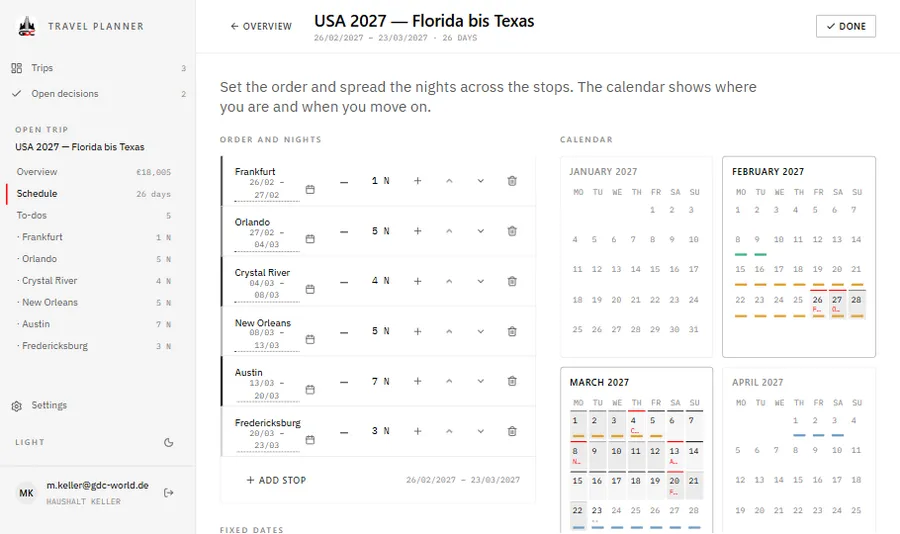
Travel Planner — schedule and year calendar
Web · Trip planning

Plan a trip as stops and nights, together with your household. Every date follows from the start date and the nights. Flights, beds and hire cars are compared until one is chosen, and the budget, to-dos and open decisions show what is still missing.

A trip keeps only its start date and the nights at each stop. Arrivals, departures and the calendar are worked out from these, so one more night moves everything after it. At each stop you collect lodging, flights and hire cars as options until one is the favourite or booked, while events and meals all count. Totals, the budget and the list of open decisions follow from those choices, and the household shares every trip.

  • Dates worked out from nights
  • Options compared, favourite, then booked
  • Open decisions across planned trips
Web · NFL and college football

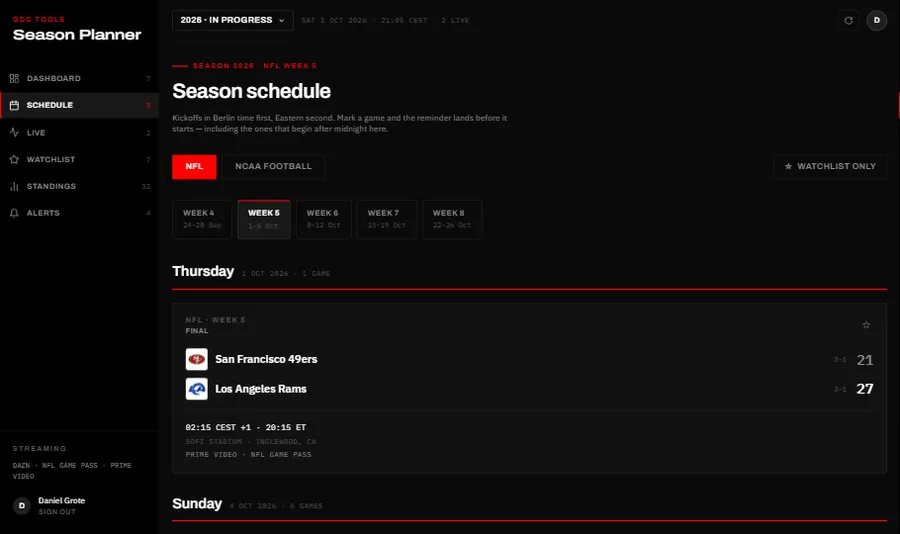
The NFL and college football season from Germany: every kickoff in Berlin and US Eastern time, and where each game can be watched in Germany. Star the games you want, get a push reminder before kickoff, and keep scores hidden until you have seen them.

The schedule runs week by week, NFL and college football apart, with each game’s kickoff in Berlin time, its stadium and a stream line that checks free TV first, then the services you selected. Starred games collect on a watchlist with reminders one hour before or at kickoff, quiet hours for night games and a warning when two kick off at the same minute. Scores can stay hidden until you mark a game as watched; live games update every 20 seconds.

  • Kickoffs in Berlin and Eastern time
  • Where each game streams in Germany
  • Scores hidden until you’ve watched
Season Planner — the season schedule
Access

GDC Tools Manager

Registration and sign-in run through the GDC Tools Manager. One e-mail address and password open every tool an administrator has activated for you, and your household decides who shares your data.

New here? Start with the guide
  1. 01 One account for every GDC tool Register once and confirm your e-mail. The same login opens every GDC tool you have access to.
  2. 02 Request a tool, an administrator grants it Ask for the tools you need under My tools, and you get an e-mail once an administrator decides. Sign up from an app, and access to that app is requested for you.
  3. 03 Households share one workspace Cats, recipes and trips belong to the household, not to a single person. Household admins invite people by e-mail, and everyone in the household sees the same data.